



Google has added a new feature to its Lens Object Recognition Tool that can be useful to many users. Now it is possible to copy handwritten notes from a smartphone and paste them on a computer. True, this only works if the user has a fairly accurate handwriting, otherwise typos are possible.
To use the new feature, you will need the latest version of Chrome browser, as well as a separate Google Lens application for Android or Google application for iOS (where you can access Lens using the button next to the search bar). You must also log in to the same Google account on both devices.
Google Lens can now copy handwritten text and transfer it to a computer

Now it will be enough to point the smartphone’s camera at any handwritten text, select it on the screen and select a command to copy it to the computer. Then, on your computer, you can go to any document in Google Docs, click Edit, and then Paste to paste the text.
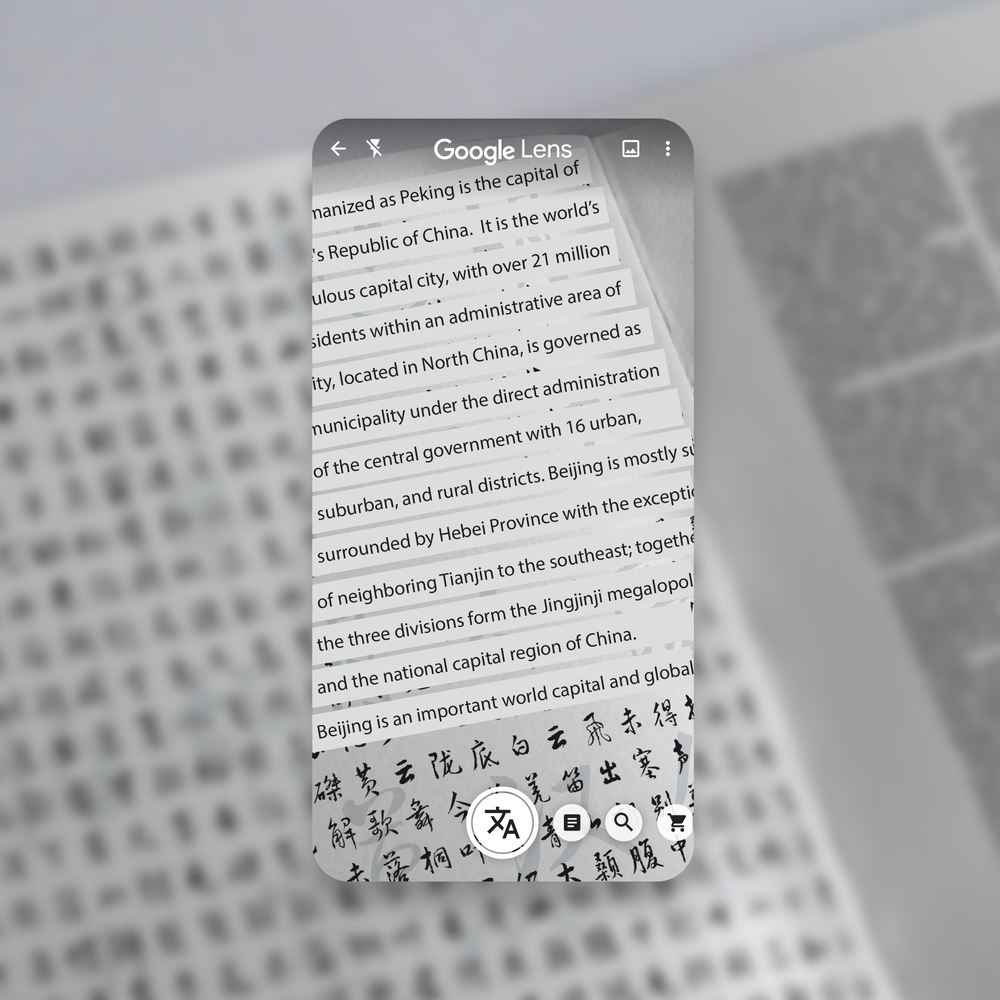
Another innovation is the pronunciation function. In Lens, you can highlight a word and click on the Listen command to listen to how it is pronounced. This feature is already available for Android and will soon appear on iOS. In addition, Lens can now search for definitions. If you come across a word or phrase you don’t understand in a book or newspaper, like “gravitational waves,” Lens can help. Now, with in-line Google Search results, you can select complex phrases or words to quickly learn more. This feature can be useful when jointly preparing homework with children at home in quarantine.

According to Google, these features are rolling out now, except for Listen which is available on Android and coming soon to iOS. Lens is available in the Google app on iOS and the Google Lens app on Android.

Place comments
0 Comments
You are currently seeing only the comments you are notified about, if you want to see all comments from this post, click the button below.
Show all comments